Registration and licensing
BrightQ-Pro licenses may be bundled with a specific OEM distribution or require separate activation. The release 2.5 guide refers to license certificates, Codehost License Packages (.clp), and Codehost License Files (.clf).
Online activation (graphical)
Section titled “Online activation (graphical)”- Open the License Manager from the Configuration Tool.
- Choose Online Registration if no account has been registered.
- Choose License Activation and enter the certificate information requested by the tool.
- Verify that the correct OEM package and drivers become available.
Online activation uses the Codehost licensing service. If the host cannot reach the service, use the offline license import procedure below.
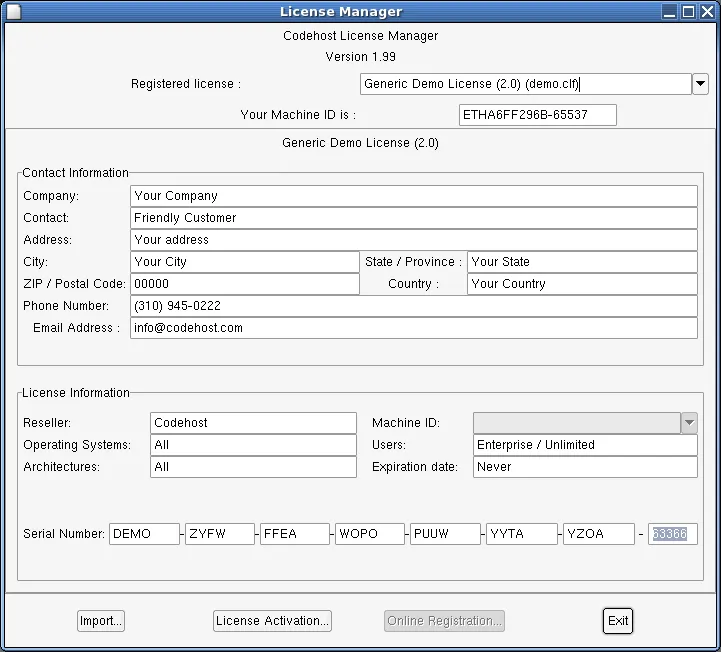
License Manager showing the registered demo license and import and activation controls.
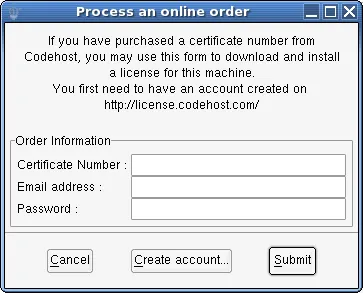
Online activation dialog with empty certificate number, email, and password fields.
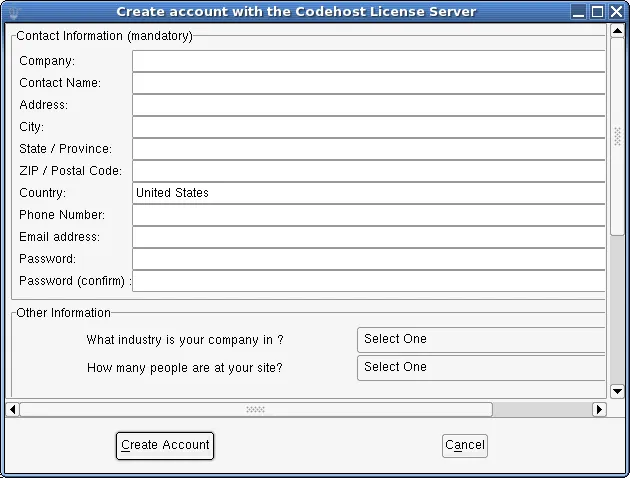
License server account registration dialog with empty contact and password fields.
Online activation (shell)
Section titled “Online activation (shell)”codehost-license --activation# Shorthand: codehost-license -aThe command prompts for your certificate and registration credentials. Use interactive entry when supported rather than passing passwords directly in command arguments.
Offline license import
Section titled “Offline license import”If the host cannot contact the licensing server, generate or obtain a license package for that machine ID using the approved licensing procedure:
codehost-license --machineidcodehost-license --import /secure/path/license.clpIn the GUI, choose File → License Manager → Import and select the .clp file.
See the full license command reference.