Status and job monitoring
BrightQ-Pro provides device monitoring where the selected printer, driver, and transport report status information. Printer status indicators in the Print Job Manager are:
- Green: idle or ready.
- Yellow: warning.
- Red: alert or error requiring attention.
The Jobs tab of a queue can show jobs in states such as Pending, Suspended, Processing, Cancelled, Aborted or Completed. It also provides job information including owner, ID, size, and priority.
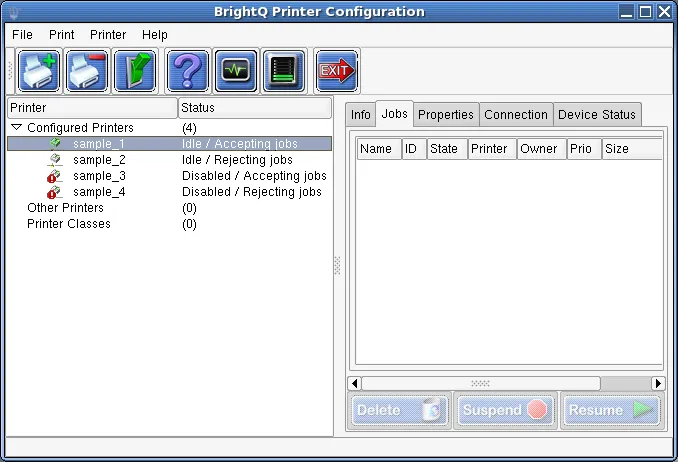
Configuration Tool showing accepting, rejecting, and disabled queue states beside the Jobs tab.
Administrators may be able to enable/disable queues, accept/reject jobs, manage queued jobs, or enable device monitoring. A normal user is typically limited to their own jobs and nonadministrative operations.
Status in Print Job Manager
Section titled “Status in Print Job Manager”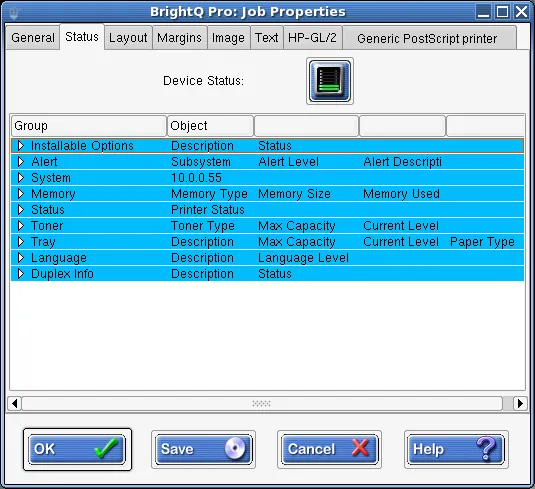
Print Job Manager Status tab showing device status and expandable device information.
For shell diagnostics:
codehost-config --list-queuescodehost-config --status officeIf status data is missing, check printer reachability and the monitoring configuration, including the SNMP timeout/interval where available.